Guide
Compact Keyboard vs Full Size: Wrist and Mouse Reach
By Carpal Tunnel Guide Editorial Team · Updated 2026-08-20
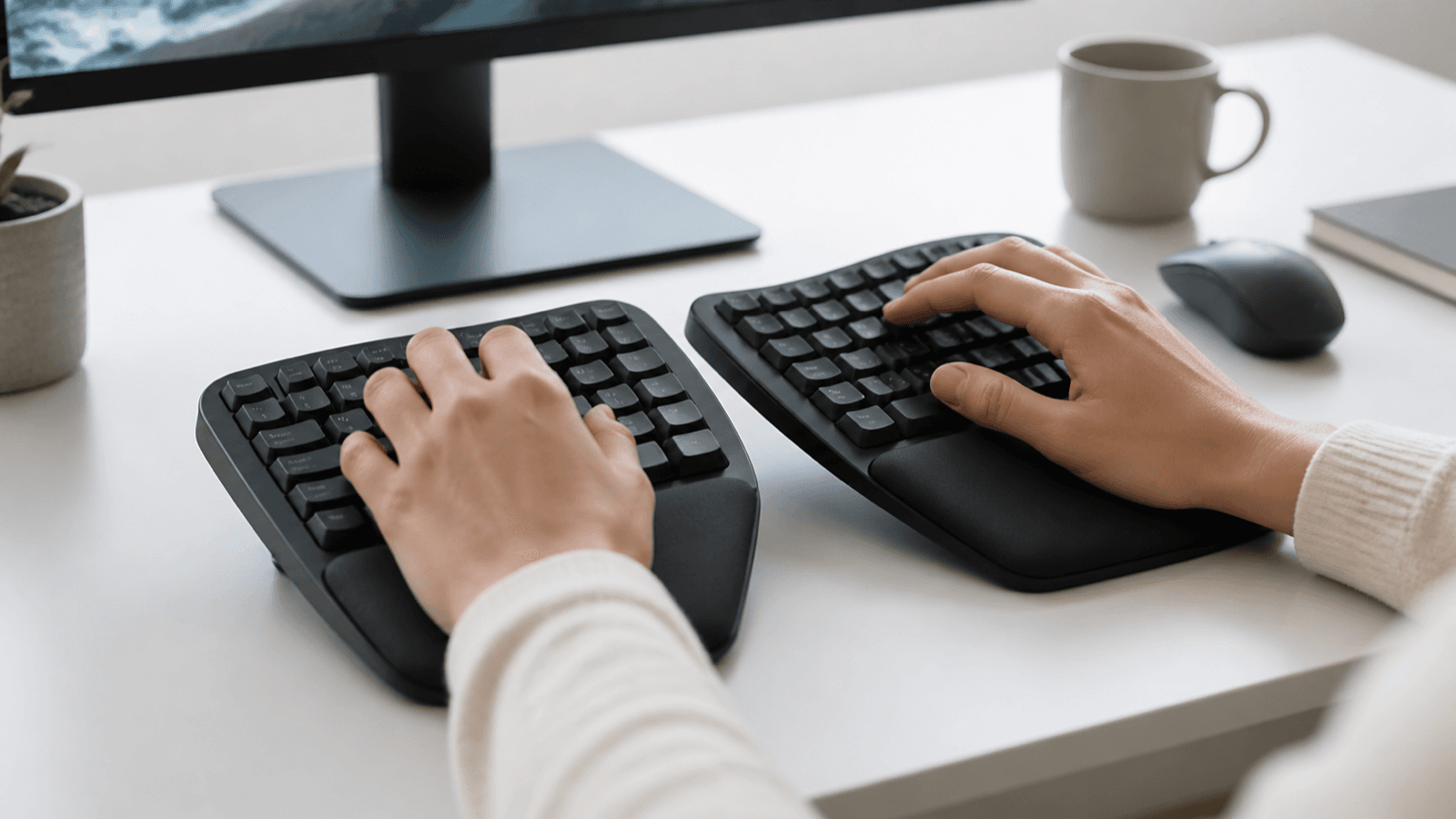
Quick answer: the best keyboard layout is the one that satisfies the measured constraints of the real setup, not the candidate with the longest feature list. For computer users trying to shorten the reach between keys and pointer, compare layout width, number-pad need, key spacing, then verify shortcut access, pointer distance, learning cost. Use current primary-source specifications, keep health or performance promises separate from product facts, and plan a reversible trial with clear return criteria.
Affiliate disclosure: Carpal Tunnel Guide may earn a commission from qualifying purchases made through clearly marked Amazon links. Retailer links are shopping paths, not proof that a product is suitable. We did not hands-on test or clinically evaluate products for this article.
Health boundary: This guide is general information, not diagnosis or individualized care. Seek qualified help for new, severe, progressive or worrying symptoms. Follow urgent-care advice from your local health service.
Relevant Amazon listings
Compact and tenkeyless keyboards related to this guide
Checking Amazon catalog data
As an Amazon Associate I earn from qualifying purchases. Product details and availability can change.
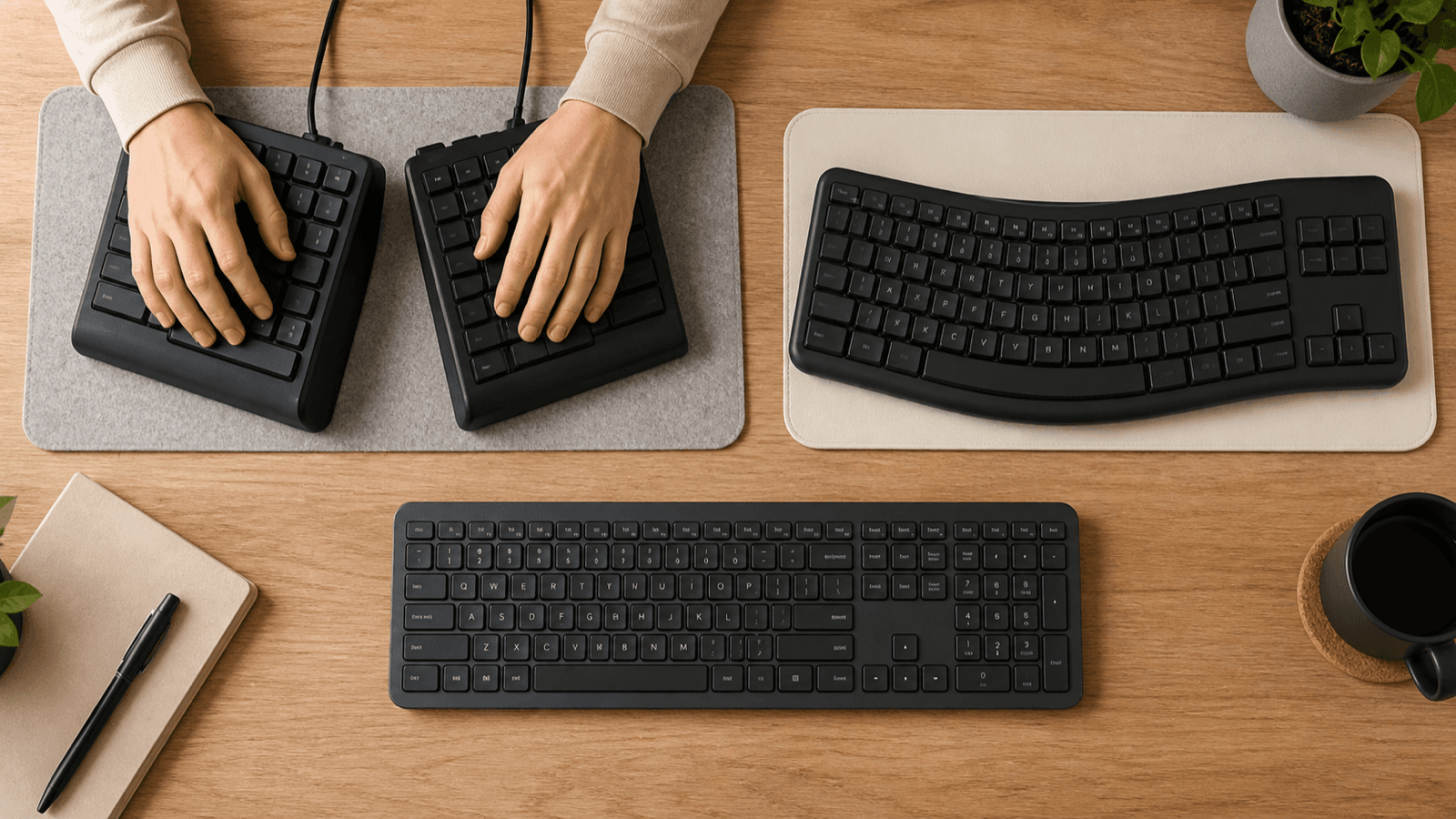
Table of contents
- Quick answer
- Who this guide is for
- Key takeaways
- Research and evidence method
- Comparison criteria
- Criterion: layout width
- Criterion: number-pad need
- Criterion: key spacing
- Criterion: shortcut access
- Criterion: pointer distance
- Criterion: learning cost
- Decision table
- Related guides
- Frequently asked questions
- Sources and update method
- Conclusion
Quick answer
Searching for compact keyboard vs full size often produces pages that jump directly from a feature label to a recommendation. This guide uses a spatial-fit test instead. It translates the query into a footprint, clearance map and fit trial. The result remains understandable even if models, prices or retailer listings change.
No single keyboard layout is best for every person or setting. The strongest choice is the specific variant that fits the intended environment, is supported by current documentation, and can be returned or changed if the evaluation period exposes a problem. That is a narrower promise than “best,” but it is more honest and more actionable.
Who this guide is for
This article is for computer users trying to shorten the reach between keys and pointer. It is designed for readers who want to compare options carefully without confusing specifications with outcomes. It does not rank unverified models, repeat static prices, invent hands-on testing, or imply that an affiliate destination is independent evidence.
The scope is limited to layout, dimensions, key access and desk arrangement. It does not diagnose wrist symptoms or claim that changing a keyboard prevents carpal tunnel syndrome. Persistent, progressive or worrying hand symptoms need assessment by an appropriately qualified clinician.
Key takeaways
- Start with the job and environment, not a retailer category.
- Treat layout width and number-pad need as measurable constraints.
- Verify the exact model, size, hand, format or edition; family-level facts are not enough.
- Separate product identity from comfort, durability, treatment, safety or performance claims.
- Prefer a reversible comparison with written pass and stop criteria.
- Recheck specifications and availability on the day you buy.
Research and evidence method
This comparison starts with current workstation guidance, then limits its conclusions to measurable layout facts. The OSHA keyboard guidance says the keyboard and pointer should be considered together, describes typical key-center spacing, and notes that alternative keyboards may help neutral positioning while research does not conclusively show that they prevent discomfort or injury. That boundary is important: a narrower board may change pointer placement, but it is not a treatment.
OSHA's workstation purchasing guide specifically suggests considering a keyboard without a ten-key pad when the task does not normally require one, because it can allow closer mouse placement. The same guide recognizes a separate number pad as an option for occasional use. This article converts that guidance into a task-frequency audit rather than assuming that everybody should remove the pad.
The OSHA pointer and mouse guidance and evaluation checklist support checking reach, device position and the full workstation. The Canadian Centre for Occupational Health and Safety keyboard guidance also notes that there is no universally agreed best keyboard design and recommends trying models against individual needs. None of these authorities endorses a model in this guide.
Dimensions, connection modes and layout diagrams should come from the current manufacturer's manual or specification page for the exact variant. Retailer search order, ratings and affiliate commission are not evidence. Sources and article claims were checked on 2026-08-20 in Australia/Melbourne; specifications and availability should be rechecked before purchase.
Comparison criteria
The six criteria below turn a broad compact keyboard vs full size search into a repeatable comparison. Give each one a status—pass, conditional, fail or unknown—and keep unknowns visible. Do not average away a failed mandatory constraint with several attractive optional features.
Comparison criterion: layout width
Start with the occupied space and the user’s reach envelope; product photography rarely shows either one accurately. Treat every specification as a requirement to verify. For keyboard layout, layout width changes whether the candidate can serve computer users trying to shorten the reach between keys and pointer. Measure the present constraint before comparing listings, identify what cannot change, and put unresolved questions in a footprint. A headline feature matters only when it fits the real task, space and user. That spatial fit prevents a broad keyword such as “compact keyboard vs full size” from turning into a generic recommendation.
Measure the case from its left edge to its right edge rather than relying on labels such as 75%, 80% or compact. Manufacturers do not always use those labels consistently. Put the measurement on a paper desk plan beside the pointer, not in isolation, because the practical question is how much lateral travel the complete input area requires.
Pass when the keyboard and pointer fit the measured work zone without crowding, cable strain or a new reach. Fail when the narrower case merely transfers frequently used keys into awkward layers.
Comparison criterion: number-pad need
Start with the occupied space and the user’s reach envelope; product photography rarely shows either one accurately. Evaluate the whole system rather than one isolated feature. For keyboard layout, number-pad need changes whether the candidate can serve computer users trying to shorten the reach between keys and pointer. Measure the present constraint before comparing listings, identify what cannot change, and put unresolved questions in a footprint. Compatibility failures usually appear at the boundaries between products, people and routines. That spatial fit prevents a broad keyword such as “compact keyboard vs full size” from turning into a generic recommendation.
Count how often the number pad is used during ordinary work and identify whether those tasks are continuous, occasional or avoidable. A separate number pad can be moved aside when it is not needed, but it adds another device, connection and storage task. Finance, data-entry and accessibility workflows may value a fixed pad more than the reduction in case width.
Pass when required numeric work remains accurate and practical. Mark conditional if a removable pad solves the task but creates connection, storage or handoff problems.
Comparison criterion: key spacing
Start with the occupied space and the user’s reach envelope; product photography rarely shows either one accurately. Use a reversible trial and record tradeoffs. For keyboard layout, key spacing changes whether the candidate can serve computer users trying to shorten the reach between keys and pointer. Measure the present constraint before comparing listings, identify what cannot change, and put unresolved questions in a footprint. A judgment is stronger when the buyer defines success before opening a product listing. That spatial fit prevents a broad keyword such as “compact keyboard vs full size” from turning into a generic recommendation.
Compact does not necessarily mean reduced key spacing. OSHA's keyboard guidance describes typical center-to-center spacing of 18–19 mm horizontally and 18–21 mm vertically. Compare the exact layout diagram and key pitch; do not assume a smaller case has smaller alphanumeric keys.
Pass when the published pitch and actual key targets suit the user. Stop if frequent adjacent-key errors persist after a reasonable familiarization period.
Comparison criterion: shortcut access
Start with the occupied space and the user’s reach envelope; product photography rarely shows either one accurately. Separate observable facts from hoped-for outcomes. For keyboard layout, shortcut access changes whether the candidate can serve computer users trying to shorten the reach between keys and pointer. Measure the present constraint before comparing listings, identify what cannot change, and put unresolved questions in a footprint. Dimensions, materials and controls can be checked; comfort and usefulness still need an individual trial. That spatial fit prevents a broad keyword such as “compact keyboard vs full size” from turning into a generic recommendation.
List every dedicated key used in a normal week: navigation keys, function row, Home, End, Page Up, Page Down, Insert, Delete and media controls. Record which compact layouts retain them, move them into a layer or remove them. A shortcut that interrupts a high-frequency workflow can outweigh a modest reach reduction.
Pass when common shortcuts remain available without repeated visual searching or uncomfortable combinations. Log the exact missing key rather than a vague impression.
Comparison criterion: pointer distance
Start with the occupied space and the user’s reach envelope; product photography rarely shows either one accurately. Start with fit, not marketing language. For keyboard layout, pointer distance changes whether the candidate can serve computer users trying to shorten the reach between keys and pointer. Measure the present constraint before comparing listings, identify what cannot change, and put unresolved questions in a footprint. A useful comparison begins with the environment in which the item or plan must work. That spatial fit prevents a broad keyword such as “compact keyboard vs full size” from turning into a generic recommendation.
Measure from the home-row area to the center of the normal pointer zone with both keyboards. Keep the pointer on the same level and avoid moving it behind the keyboard merely to make the plan fit. The useful result is a before-and-after reach map, not a claim that one keyboard category is inherently ergonomic.
Pass when the mouse or trackball can remain closer during real tasks while the elbows and shoulders stay relaxed. Compare the same chair, desk and pointer.
Comparison criterion: learning cost
Start with the occupied space and the user’s reach envelope; product photography rarely shows either one accurately. Treat every specification as a requirement to verify. For keyboard layout, learning cost changes whether the candidate can serve computer users trying to shorten the reach between keys and pointer. Measure the present constraint before comparing listings, identify what cannot change, and put unresolved questions in a footprint. A headline feature matters only when it fits the real task, space and user. That spatial fit prevents a broad keyword such as “compact keyboard vs full size” from turning into a generic recommendation.
Estimate adaptation cost from the actual changes in layout. A tenkeyless board usually preserves more familiar key positions than a 60% board, while split or columnar layouts may change several habits at once. Keep the first comparison reversible and do not switch during a deadline-heavy week.
Pass when error rate and task time settle without creating a workaround that defeats the purpose of the change. Return the board within its window if the layout remains disruptive.
Decision table
| Criterion | Evidence to capture | Decision use |
|---|---|---|
| layout width | Record the current constraint and exact variant | Measure before comparing listings |
| number-pad need | Record the current constraint and exact variant | Verify compatibility and tradeoffs |
| key spacing | Record the current constraint and exact variant | Measure before comparing listings |
| shortcut access | Record the current constraint and exact variant | Verify compatibility and tradeoffs |
| pointer distance | Record the current constraint and exact variant | Measure before comparing listings |
| learning cost | Record the current constraint and exact variant | Verify compatibility and tradeoffs |
Use the table before opening multiple retailer tabs. A written baseline makes it easier to reject irrelevant options and reduces the chance that advertising language will redefine the need. Keep links or screenshots for material specifications, but date them because models and listings change.
Choose by task frequency, not keyboard percentage
Keyboard percentages are useful shorthand, but they are not a complete buying specification. Two products described as 75% can differ in case width, navigation cluster, key spacing, arrow-key placement and the way secondary functions are accessed. Start with the manufacturer's dimension drawing and a printable outline whenever one is available. Place the outline on the desk with the mouse, cable, notebook and any control surface that normally competes for space.
Full-size layout
A full-size keyboard normally keeps the alphanumeric area, function row, navigation cluster and number pad available at the same time. That arrangement suits workflows where dedicated numeric entry and navigation keys are used continuously. Its cost is width: the pointer normally begins farther from the letter keys, and the entire input area may not fit comfortably on a narrow tray or small desk.
Do not treat width as a medical outcome. The observable question is whether the complete setup allows the user to work without repeated reaching, raised shoulders or collisions with nearby objects. A full-size board can still be the better fit when the number pad prevents hundreds of layer changes or when shared users depend on a conventional layout.
Tenkeyless layout
Tenkeyless, often shortened to TKL, usually removes the number pad while retaining the function row, arrow keys and navigation cluster. It is often the lowest-disruption way to reclaim lateral space. The key word is usually: verify the exact layout because case borders, media controls and compacted navigation blocks vary.
For mixed typing and pointer work, test whether the saved width actually moves the pointer closer. If the freed space becomes a phone dock or paper pile, the equipment change has not altered the workflow. A separate number pad is an option for occasional numeric work, but include its storage, connection and placement in the comparison.
75%, 65% and 60% layouts
Smaller layouts consolidate or remove more dedicated keys. A 75% design normally keeps a function row; many 65% boards retain arrows; many 60% boards move arrows and navigation commands into a function layer. These conventions are not universal. Read the manual before purchase and identify every command that changes.
The smaller case can help on a shallow or narrow surface, but size alone does not establish fit. Check the location of the charging port, receiver storage, power switch and cable exit. A side-mounted connector can add effective width, while a tall case may change how the keyboard relates to the desk edge or palm support.
A five-minute paper test
Draw the candidate keyboard's published width and depth on paper. Mark the home-row center, pointer center and front desk edge. Repeat for the current keyboard, then measure the difference in pointer position. Finally, perform a key inventory from a normal workday. This simple test separates a useful spatial change from a purchase driven only by a percentage label.
Related guides
These internal resources cover adjacent decisions. Use them to avoid asking one page or product to answer every question in the topic cluster.
Frequently asked questions
What matters most when choosing keyboard layout?
Start with the keys used most often, then measure the complete keyboard-and-pointer area. Case width matters only when the new layout preserves the commands required for normal work. Compare the exact diagram, key pitch and connection points rather than relying on a percentage label.
How do I compare tenkeyless keyboard ergonomics options?
Tenkeyless normally removes the number pad while retaining arrows, navigation keys and the function row. Verify the model because spacing and cluster arrangement vary. If numeric entry is occasional, compare a removable number pad; if it is continuous, include the cost of moving between devices and layouts.
Is a more expensive keyboard layout automatically better?
No. Price can reflect switches, materials, wireless features, software or brand positioning without making the layout a better spatial fit. A less expensive tenkeyless board may preserve familiar commands better than a costly 60% model for a particular workflow.
How long should I test the setup?
Test it through several ordinary workdays before the return deadline. Include writing, navigation, spreadsheet and pointer-heavy tasks. Log missing-key interruptions and errors daily; do not judge the layout only from a short typing test or use a new board for the first time during critical work.
What should make me return or stop using it?
Return or exchange it when required keys remain disruptive, the pointer cannot stay in the planned zone, connectivity is unreliable or the case conflicts with the desk. New or worsening symptoms are also a reason to stop the experiment and seek appropriate advice rather than forcing adaptation.
Can a keyboard layout guarantee a health outcome?
No. Layout changes can alter key access and pointer position, but they do not prove prevention, diagnosis or treatment of carpal tunnel syndrome. Use the comparison as a workstation-fit exercise and seek qualified assessment for persistent numbness, weakness, pain or other concerning symptoms.
Sources and update method
- OSHA keyboard guidance
- OSHA workstation purchasing guide
- OSHA pointer and mouse guidance
- OSHA workstation evaluation checklist
- CCOHS keyboard selection and use
We retain a layout claim only when the exact manufacturer's current diagram supports it. Commercial links are disclosed, retailer position is excluded from the evidence assessment, and the guide should be rechecked when a layout or cited authority changes.
Conclusion
A useful compact keyboard vs full size decision starts with the real job and ends with a documented trial. Compare layout width, number-pad need, key spacing, shortcut access, pointer distance, learning cost; verify the specific variant; preserve unknowns; and keep outcome promises separate from observable product or planning facts. That process will not manufacture certainty, but it will help you make a clearer, safer and more defensible choice.