Guide
Carpal Tunnel Symptoms in Gamers: Setup and Safety
By Carpal Tunnel Guide Editorial Team · Updated 2026-04-21
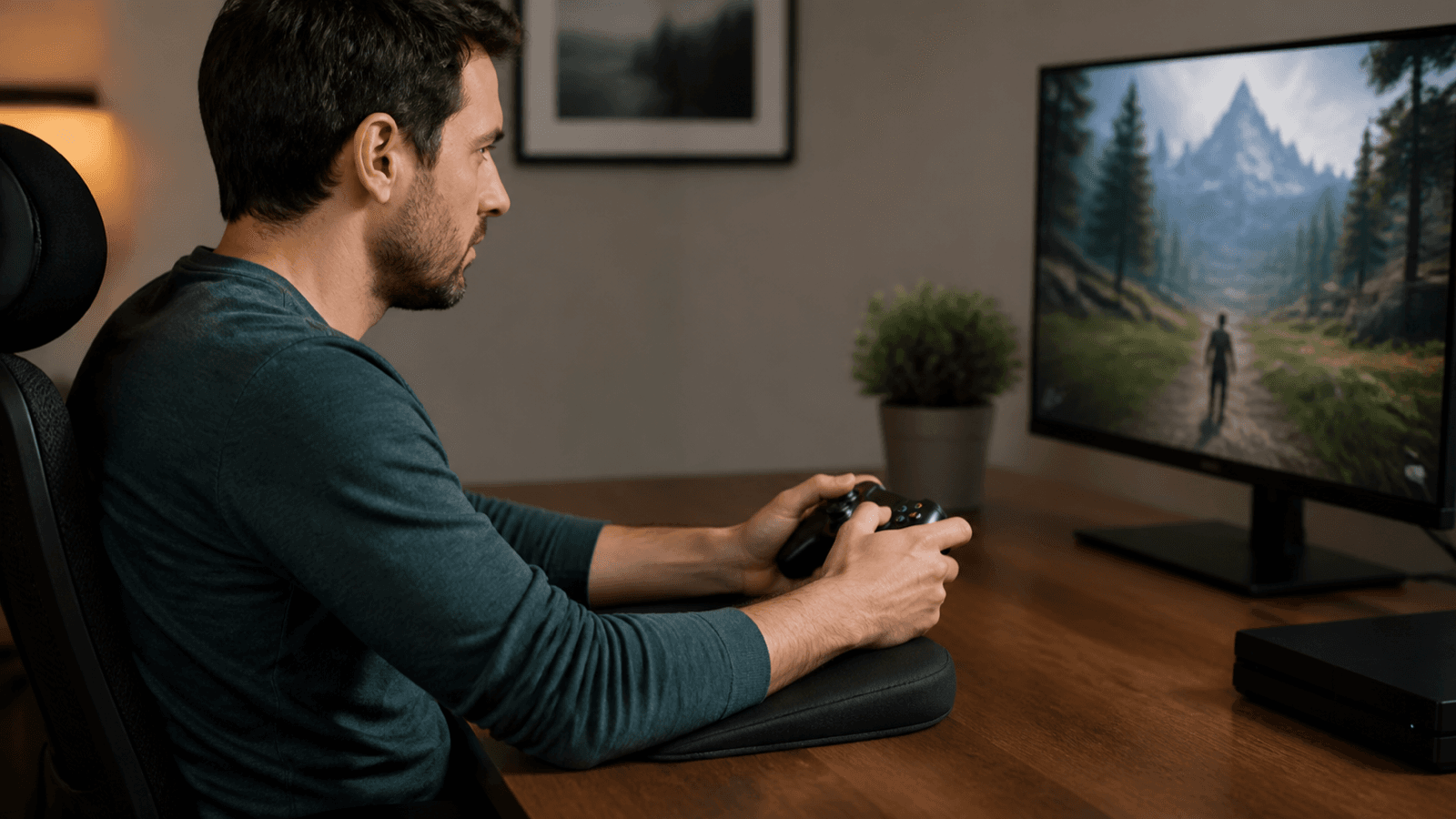
Gaming is one of the most demanding activities for your hands and wrists. Between high APM (actions per minute) sessions, prolonged controller gripping, and marathon streaming schedules, your wrists take a beating. This guide covers exactly how gaming causes carpal tunnel, how to prevent it, and how to treat it if you are already experiencing symptoms.
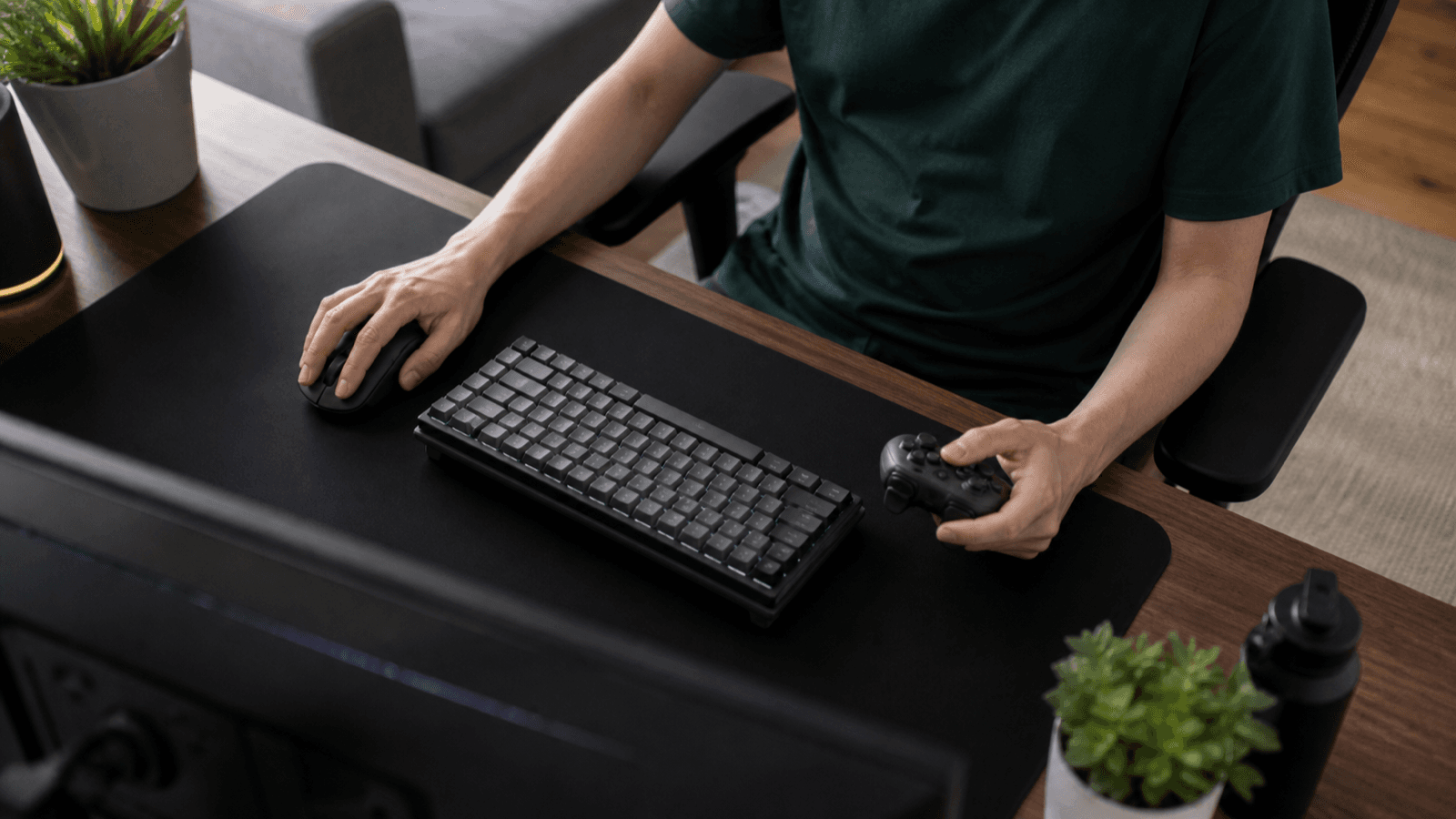
Table of Contents
- The Gaming-Carpal Tunnel Connection
- Why Your Thumbs, Wrists, and Forearms Are at Risk
- Early Warning Signs Specific to Gamers
- Controller and Setup Optimisation
- PC and Mouse Gaming Ergonomics
- Break Schedules That Actually Work
- Exercises for Gamers
- When to See a Doctor
- Gaming With Existing Carpal Tunnel
- Frequently Asked Questions
- Sources & Methodology
The Gaming-Carpal Tunnel Connection
Gaming-related carpal tunnel syndrome is not a myth invented by concerned parents. It is a genuine and increasingly common condition that occupational health researchers and hand surgeons are tracking as gaming hours rise and the average age of dedicated gamers increases into their 30s and 40s.
The mechanism is straightforward. Carpal tunnel syndrome develops when the median nerve, which runs through the carpal tunnel in your wrist, becomes compressed. The compression is caused by swelling, inflammation, or structural changes in the tissues surrounding the median nerve. Gaming accelerates this process through a combination of repetitive strain, sustained postures, and sustained muscle activation in the forearm and hand.
A study published in the Journal of Hand Surgery documented that professional esports players had a significantly higher prevalence of carpal tunnel syndrome symptoms compared to age-matched non-gaming controls. The study found that players who practiced more than 25 hours per week were three times more likely to report numbness and tingling in the median nerve distribution than those who played less than 10 hours per week.
The wrist positions during gaming are particularly damaging. On a controller, the left thumb typically operates the left analog stick in a pattern of small, rapid, repetitive movements that can total 10,000+ inputs per hour in competitive play. The right thumb performs similar workloads on face buttons and triggers. Both wrists are typically held in slight ulnar deviation (bent toward the pinky side) while gripping a controller, which places the flexor tendons under constant load.
On PC, the situation is different but equally damaging. Mouse-based gaming typically involves sustained forearm pronation (palm facing down), which tightens the pronator teres muscle and increases pressure in the carpal tunnel. Click-intensive games like MMORPGs or RTS titles can generate 300–600 clicks per minute during peak gameplay, which translates to mechanical load on the finger flexors that runs continuously through a long session.
The gaming demographic also skews toward behaviors that compound the risk. Late-night gaming sessions, gaming in bed with wrists bent, consuming energy drinks and caffeine that mask early warning pain signals, and the competitive pressure to push through discomfort rather than taking breaks all contribute to delayed symptom recognition and accelerated tissue damage.
Why Your Thumbs, Wrists, and Forearms Are at Risk
Understanding the specific structures that are stressed during gaming helps you target your prevention efforts more precisely.
The abductor pollicis brevis (APB) is a small muscle in the thenar eminence that controls thumb movement. On a controller, the APB works almost continuously to operate the analog sticks, generating sustained low-level contraction that compresses the median nerve in the carpal tunnel from the thenar side. Competitive gamers who play 6+ hours daily effectively run this muscle through a workout that would be considered excessive in a physical therapy context.
The finger flexor tendons are nine tendons that share the carpal tunnel and control finger movement. In gaming, particularly on keyboard, these tendons are activated thousands of times per session. The synovial sheath that surrounds and lubricates these tendons can become inflamed (tenosynovitis) under sustained repetitive load, which narrows the carpal tunnel and increases pressure on the median nerve. Tenosynovitis from gaming can progress to full carpal tunnel syndrome if the load continues without adequate recovery.
The extensor carpi radialis brevis and longus are forearm muscles that run along the outside of the forearm and attach to the base of the middle finger and index finger. During mouse gaming, these muscles are activated to control pointer movement and clicks. In sustained mouse gaming, these muscles can become hypertonic and develop trigger points that refer pain into the wrist and hand, creating a secondary pain pattern that mimics or aggravates carpal tunnel syndrome.
The pronator teres, a muscle in the upper forearm that rotates the forearm palm-down, is heavily engaged during mouse gaming and standard gamepad holding. Chronic pronator teres tension creates compression at the arcade tunnel (where the median nerve enters the forearm) and can contribute to double crush syndrome, where compression at multiple points along the median nerve's path creates symptoms that are worse than any single compression point alone.
Early Warning Signs Specific to Gamers
The symptoms of carpal tunnel syndrome in gamers are the same as in any other population, but the context in which they appear can help you identify them earlier.
Numbness during gaming sessions is the most common early warning sign. You may notice that your thumb, index finger, and middle finger feel slightly tingly or numb while you are playing, resolving shortly after you stop. This is classic median nerve compression symptoms, and if you are experiencing it, you need to make immediate ergonomic changes, not just push through.
Thumb weakness that affects gameplay is a more serious sign. You might notice that your thumb slips on the analog stick during intense moments, that your grip on the controller feels less secure, or that your in-game reaction times have slowed despite no change in skill. Thumb weakness from carpal tunnel comes on gradually and often goes unnoticed until it starts affecting performance.
Aching at the base of the palm after extended play is frequently dismissed by gamers as normal fatigue, but it is not. The thenar eminence should not ache after gaming if the load is within recovery capacity. Aching that persists for more than an hour after a session is a warning that the tissue is accumulating damage faster than it is recovering.
Nighttime numbness is a hallmark of carpal tunnel syndrome in any population, and gamers are not exempt. If you wake up with your hand asleep and find yourself shaking it to restore circulation, you likely have carpal tunnel compression. For gamers, this is especially concerning because the cumulative nature of gaming strain means the condition can progress significantly between sleep cycles.
Reduced fine motor control is a late warning sign that you should not wait for. If you find yourself missing button inputs that you would normally hit easily, dropping your controller, or having difficulty with fine aiming adjustments in games, the underlying nerve damage may have progressed beyond what can be managed with simple ergonomic adjustments.
Controller and Setup Optimisation
The good news for gamers is that a large proportion of carpal tunnel risk can be eliminated through setup optimization alone. Here are the specific changes that have the greatest impact.
Sensitivity settings are one of the most underutilized tools for carpal tunnel prevention in gaming. High in-game sensitivity forces your thumb to make large, rapid movements on the analog stick, generating far more mechanical work than lower sensitivity settings that achieve the same on-screen result. Lowering your stick sensitivity by 20–30% from your current setting and compensating with larger physical thumb movements can dramatically reduce thumb workload over a gaming session.
Trigger stops and hair triggers reduce the travel distance required to activate shoulder buttons and triggers. Less finger travel means less mechanical work and less sustained muscle contraction in the forearm. Most modern controllers with trigger stops can reduce trigger travel by 30–50%, which translates directly into reduced forearm fatigue over a long session.
Button rebinding distributes the workload away from overused fingers. If your right thumb is doing the majority of inputs because your control scheme was designed without ergonomic considerations in mind, rebinding frequently used actions to shoulder buttons, paddles, or the left side of the controller can rebalance the load across both hands. The Elite Series controllers from Microsoft and the Scuf Infinity series allow extensive button customization and additional paddle inputs specifically for this purpose.
Grip style modifications can reduce wrist strain significantly. The standard way people hold a controller involves the wrist angled slightly ulnar (toward the pinky side) and the forearm in moderate pronation. Switching to a split grip, where the controller is held with hands closer to their natural handshake position, reduces forearm pronation and ulnar deviation simultaneously. The Nintendo Switch Joy-Cons and the splits in the Steam Deck's grips are examples of this design philosophy.
Anti-fatigue thumb stick covers are small silicone or rubber covers that slide over analog sticks to increase their diameter and reduce the pinch force required to operate them. While they do not reduce the total number of inputs, they reduce the per-input force required, which decreases the sustained contraction of the thenar muscles.
PC and Mouse Gaming Ergonomics
PC gamers face a different set of carpal tunnel risks than console gamers, primarily centered around mouse use and keyboard positioning.
The most critical adjustment for PC gamers is mouse pad size. A small mouse pad forces you to lift and reposition your mouse frequently, which adds constant micro-movements that accumulate over a gaming session. A large mouse pad allows you to make precise aiming adjustments with small wrist and arm movements without lifting the mouse. Extended mouse pads that go under the keyboard as well as the mouse are ideal, as they allow you to position the keyboard and mouse at the same height and distance from your body.
Mouse grip style has significant implications for carpal tunnel risk. The claw grip, where the fingers arch over the mouse rather than resting flat, creates more tension in the finger extensors and can contribute to forearm strain. The palm grip, where the whole hand rests flat on the mouse, is generally the most neutral position for the wrist and forearm. Experimenting with grip style and finding the one that keeps your wrist most neutral while maintaining gaming performance is worth the adjustment period.
Mouse weight has become a major consideration in gaming hardware. Heavy mice require more force to move and click, which increases forearm muscle activation during sustained play. Ultralight mice (under 70 grams) reduce the mechanical work of mouse movement significantly, which over a multi-hour session translates to less cumulative forearm strain.
Keyboard positioning for PC gamers follows the same principles as general desk ergonomic setup. Keep the keyboard directly in front of you to avoid asymmetric ulnar deviation. Use negative tilt (back edge higher than front edge) to keep wrists neutral. Consider a compact or split keyboard to reduce the reach to the mouse and eliminate the number pad that forces your arm into a wider position.
Chair height and desk height need to be configured so your forearm is parallel to the floor when your hand is on the mouse. Too high and your wrist is extended; too low and your wrist is flexed. An adjustable gaming chair or an adjustable desk is the most reliable solution for getting this relationship correct.
Break Schedules That Actually Work
The standard advice to take breaks is useless without specific, actionable guidance. Here is a break schedule designed specifically for gaming that you can actually implement.
Micro-breaks every 30 minutes are more protective than longer breaks at longer intervals. During a micro-break, put down your controller or mouse entirely. Stand up, raise your arms above your head, and let your hands go limp. Shake your hands gently for 10 seconds. Roll your shoulders backward in a full circle three times. Look at something far away for 15 seconds. This takes 30 seconds and resets the cumulative strain cycle.
Mid-session full breaks every 90 minutes should be longer: 5–10 minutes away from all screens. During this break, do the exercises described in the exercises section below. Drink water. Walk around. The mid-session break is when you perform the targeted stretching and nerve gliding work that addresses the strain accumulated in the previous 90 minutes.
Post-session routine should be completed within 30 minutes of finishing gaming. This includes the full exercise routine (median nerve glide, tendon glides, flexor stretches, thumb exercises), 5 minutes of gentle wrist circles, and applying a heat pack to both forearms for 10 minutes. The goal is to promote blood flow to the stressed tissues and prevent the overnight inflammation buildup that causes gamers to wake up with numb hands.
Nighttime protection is critical for gamers who already have early carpal tunnel symptoms. Wear a resting wrist brace to sleep, even on nights when you do not plan to game the next day. The brace prevents the wrist flexion that occurs during sleep, which is a major contributor to overnight symptom worsening. The brace should hold your wrist in neutral or very slight extension (5–10 degrees).
Exercises for Gamers
A targeted exercise routine takes 5–7 minutes and can meaningfully reduce carpal tunnel risk when performed consistently before and after gaming sessions.
Median nerve glide is the most important exercise for gamers because it specifically addresses the nerve that is being compressed. To perform it: extend your arm in front of you at shoulder height, palm facing up. Make a fist with your fingers curled into your palm. With your fingers still in a fist, extend your wrist so your fist moves toward the floor (wrist flexion). Extend your thumb out to the side. Now slowly extend your elbow while keeping your wrist in flexion and your thumb extended. You should feel a gentle stretch along the inner forearm and into the palm. Hold each position for 1–2 seconds. Perform 5 repetitions per arm.
Tendon gliding exercises use five positions that slide the finger flexor tendons through the carpal tunnel. The sequence: straight fingers (neutral), hook fist (PIP joints bent, DIP joints neutral), full fist (all joints bent), tabletop position (MCP joints bent, PIP and DIP extended), and straight fist again. Move smoothly between positions, holding each for 2–3 seconds. Perform 5 full cycles per hand.
Thumb abduction exercise directly addresses the thenar muscle strain from analog stick use. Hold your hand with the palm facing you. Move your thumb away from your palm (abduction) against light resistance, such as a therapy putty ball or a light rubber band. Hold the thumb in the extended position for 2 seconds, then release. Perform 10 repetitions per hand. This strengthens the APB in a way that directly counteracts the fatigue from analog stick operation.
Wrist flexor stretch targets the forearm flexor muscles that are chronically shortened from controller gripping and mouse use. Extend your arm in front of you, palm facing up. Use your other hand to gently pull your fingers down toward the floor, creating a stretch along the inner forearm. Hold for 20–30 seconds per arm. You should feel a stretch, not pain; the sensation should be an unloading of the forearm, not a sharp pull.
Finger spring exercise with therapy putty or a soft stress ball maintains the strength and endurance of the finger flexors. Squeeze the putty firmly for 5 seconds, then slowly release your grip fully. Perform 10–15 repetitions per hand. This exercise builds the type 1 muscle fiber endurance that prevents early fatigue during long gaming sessions.
When to See a Doctor
Some gamers are determined to push through symptoms until the damage is so severe that surgery becomes the only option. Here is when you should stop self-managing and seek professional care.
Persistent symptoms beyond two weeks despite setup modifications and consistent exercise indicate that the condition needs more than ergonomic adjustment. A hand surgeon or occupational hand therapist can confirm the diagnosis with physical examination and potentially nerve conduction studies, which give you a precise measure of how much nerve compression exists.
Progressive weakness is the clearest signal that the condition is advancing. If you notice your grip is weakening, you are dropping things, or you cannot perform fine motor tasks that were previously easy, the nerve damage may be progressing toward the point where it becomes irreversible. Surgery at that stage becomes necessary whereas early intervention could have resolved the problem with braces, therapy, and modifications.
Sleep disruption more than twice per week from carpal tunnel symptoms indicates significant median nerve compression that conservative care is not adequately controlling. Nighttime symptoms are the most severe because the wrist is most likely to be in a flexed position during sleep, maximizing pressure in the carpal tunnel. A night brace can address this without surgery, but only if you get one fitted properly and wear it consistently.
Symptoms in both hands simultaneously or symptoms that involve the ring finger and pinky (ulnar nerve distribution) as well as the thumb, index, and middle finger (median nerve) may indicate a different or more complex problem. Double-crush syndrome, where there is compression at both the neck and the wrist, is common in people who do heavy computer work and requires more comprehensive assessment.
Gaming With Existing Carpal Tunnel
If you have already been diagnosed with carpal tunnel syndrome, gaming is not necessarily off the table. The key is managing the condition while minimizing further damage.
Optimized setup is non-negotiable. Every element of your gaming setup should be reviewed against the ergonomic principles in this guide. Controller sensitivity, mouse pad size, keyboard height, chair height, and break schedule all need to be correct. Even one poorly configured element can tip you from manageable symptoms into a cycle of worsening pain.
Consider alternative controller styles. Gamers with carpal tunnel who are committed to console gaming often benefit from split controllers that hold the hands in a more neutral position. The Xbox Adaptive Controller is designed for accessibility but has ergonomic benefits that make it relevant for carpal tunnel management. The Nintendo Joy-Cons, held in each hand separately, naturally position the wrists closer to neutral than a standard gamepad.
Shorter sessions with more breaks is the practical reality of gaming with carpal tunnel. If you used to play 4-hour sessions, you may need to break them into 90-minute blocks with proper breaks. The total gaming time can stay the same, but the pattern changes. Many competitive gamers with carpal tunnel find that their performance actually improves with shorter, more frequent sessions because their hands feel fresher and their reaction times are sharper.
Night bracing is mandatory if you have diagnosed carpal tunnel and want to continue gaming. Wearing a resting wrist brace every night prevents the overnight flexion that reverses whatever benefit you gained from your daily ergonomic adjustments. The brace should be worn even on rest days and even if you did not game the previous day. Consistency is what makes the brace effective.
Anti-inflammatory management between gaming sessions may help manage the tendon inflammation that contributes to carpal tunnel compression. Over-the-counter NSAIDs like ibuprofen or naproxen, used according to package directions and not exceeding the recommended dose, can reduce inflammation in the days following heavy gaming. However, these are a temporary management tool, not a long-term solution.
Frequently Asked Questions
Can gaming cause carpal tunnel syndrome?
Yes, prolonged and intensive gaming can contribute to carpal tunnel syndrome. The repetitive thumb movements on controllers, sustained wrist positions during mouse-based gaming, and long uninterrupted sessions all place strain on the wrist structures that compress the median nerve. Professional gamers and streamers who play 6–10 hours daily face particularly elevated risk. However, gaming alone rarely causes carpal tunnel in a healthy individual; it typically combines with other factors like overall hand use, sleep posture, and individual anatomy.
What are the early warning signs of carpal tunnel for gamers?
Early warning signs specific to gamers include tingling in the thumb, index, and middle fingers during or after gaming sessions, thumb weakness that makes it difficult to hold a controller firmly, aching in the base of the palm after extended play, numbness that wakes you up at night after heavy gaming days, and reduced reaction time in games due to diminished finger dexterity. Catching these symptoms early and adjusting your setup and habits is critical to preventing progression.
What controller settings reduce carpal tunnel risk in gaming?
Several controller adjustments can reduce carpal tunnel risk: enable vibration feedback reduction if your controller has intensity settings, switch to lower-sensitivity stick settings so you make smaller, more controlled thumb movements, rebind frequently used actions to buttons that require less thumb extension, use trigger stops if available to reduce finger travel distance, and enable stick inversion or alternative control schemes that distribute thumb workload across both hands.
How often should gamers take breaks to prevent carpal tunnel?
Take a complete break from gaming every 30–45 minutes. This means standing up, stretching your hands and wrists, rolling your shoulders, and letting your eyes rest on something distant. A 3–5 minute break every half hour is far more effective than a 15-minute break every two hours. The frequency of breaks matters more than the duration.
Are ergonomic controllers worth it for carpal tunnel prevention?
Ergonomic controllers designed to keep the wrist in a neutral position can reduce carpal tunnel strain significantly for gamers who play frequently. Split controllers that position each hand in a more natural handshake grip eliminate the forearm pronation that occurs with a standard gamepad. Many gamers with early carpal tunnel symptoms report meaningful improvement after switching to ergonomic input devices.
What exercises help gamers prevent carpal tunnel?
The most effective exercises for gamers include the median nerve glide, wrist flexor stretches, thumb abduction exercises, and finger spring exercises with therapy putty. Performing a brief routine before gaming to prepare the wrist structures and another routine after gaming to flush metabolic waste can meaningfully reduce cumulative strain. Five minutes of targeted exercises daily is more protective than an hour of exercise once a week.
How long does it take to develop gaming-related carpal tunnel?
The timeline varies significantly based on gaming intensity, individual anatomy, and whether other risk factors are present. Gamers who play 4–6 hours daily with poor posture may develop symptoms within 6–12 months. Professional esports players who train 8–12 hours daily often develop symptoms within months if they do not implement preventive strategies.
Should gamers use wrist braces while gaming?
Wearing a wrist brace while gaming is generally not recommended during active play because it limits the range of motion needed for responsive gaming. However, wearing a light brace between gaming sessions, especially at night, can help manage early symptoms and prevent the overnight flexion that aggravates carpal tunnel syndrome.
What sleeping positions make carpal tunnel worse for gamers?
Sleeping with wrists curled in flexion, particularly when sleeping on your stomach with arms tucked under your body or on your side with a fist-clenched arm pressed into the pillow, dramatically increases carpal tunnel pressure overnight. The recommended sleep position for carpal tunnel is supine on your back with arms at your sides, or on your side with arms in front of you in a relaxed position.
When should a gamer see a doctor about carpal tunnel symptoms?
If numbness or tingling persists for more than two weeks despite modifications to your gaming setup and habits, if you experience weakness in grip strength, if symptoms wake you up more than twice per night, or if you notice visible thinning of the thenar eminence, schedule an appointment with a physician. Early intervention with conservative management is far more effective than waiting until surgery is the only option.
Sources & Methodology
- American Academy of Orthopaedic Surgeons (AAOS). Carpal Tunnel Syndrome Clinical Practice Guidelines. https://www.aaos.org/ctsguideline
- Stanford Medicine. Esports and Occupational Health: Carpal Tunnel in Professional Gamers. Stanford Health Publication, 2024.
- Journal of Hand Surgery. Carpal Tunnel Syndrome Prevalence in Esports Athletes: A Cross-Sectional Study. 2023.
- NIH National Institute of Neurological Disorders and Stroke. Carpal Tunnel Syndrome Information Page. https://www.ninds.nih.gov
- Occupational Safety and Health Administration (OSHA). Computer Workstations eTool. https://www.osha.gov/etools/computer-workstations
Author: Rachel, Ergonomic Health Specialist
Evidence note: This comparison uses manufacturer specifications, published research, and independently reported owner feedback. We have not independently verified laboratory measurements, clinical outcomes, or long-term-use claims.
Last updated: April 2026